Note: This feature is only available for two-way purchase order matching. Three-way matching does not support this feature.
Enhanced purchase order matching to invoices merges the captured invoice line data with the purchase order line data, rather than replacing the data entirely. This means that SmartCapture coding for line items will not be overridden when matching purchase orders to invoices.
Purchase order line coding is used to fill in any empty invoice line coding fields, such as Account, Item, or Quantity. If the invoice line already contains a value in a coding field, it will not be overridden by the purchase order coding.
Matching Purchase Order Lines to Invoices.
When matching invoices and purchase orders, you can choose either Match to PO or Add Line From PO:
- Match to PO merges the captured invoice line data with the purchase order line data.
- Add Line From PO adds the purchase order line data to the invoice. This will override any existing invoice line data.
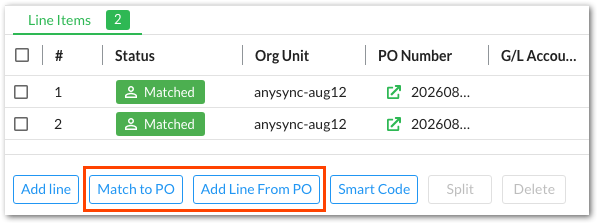
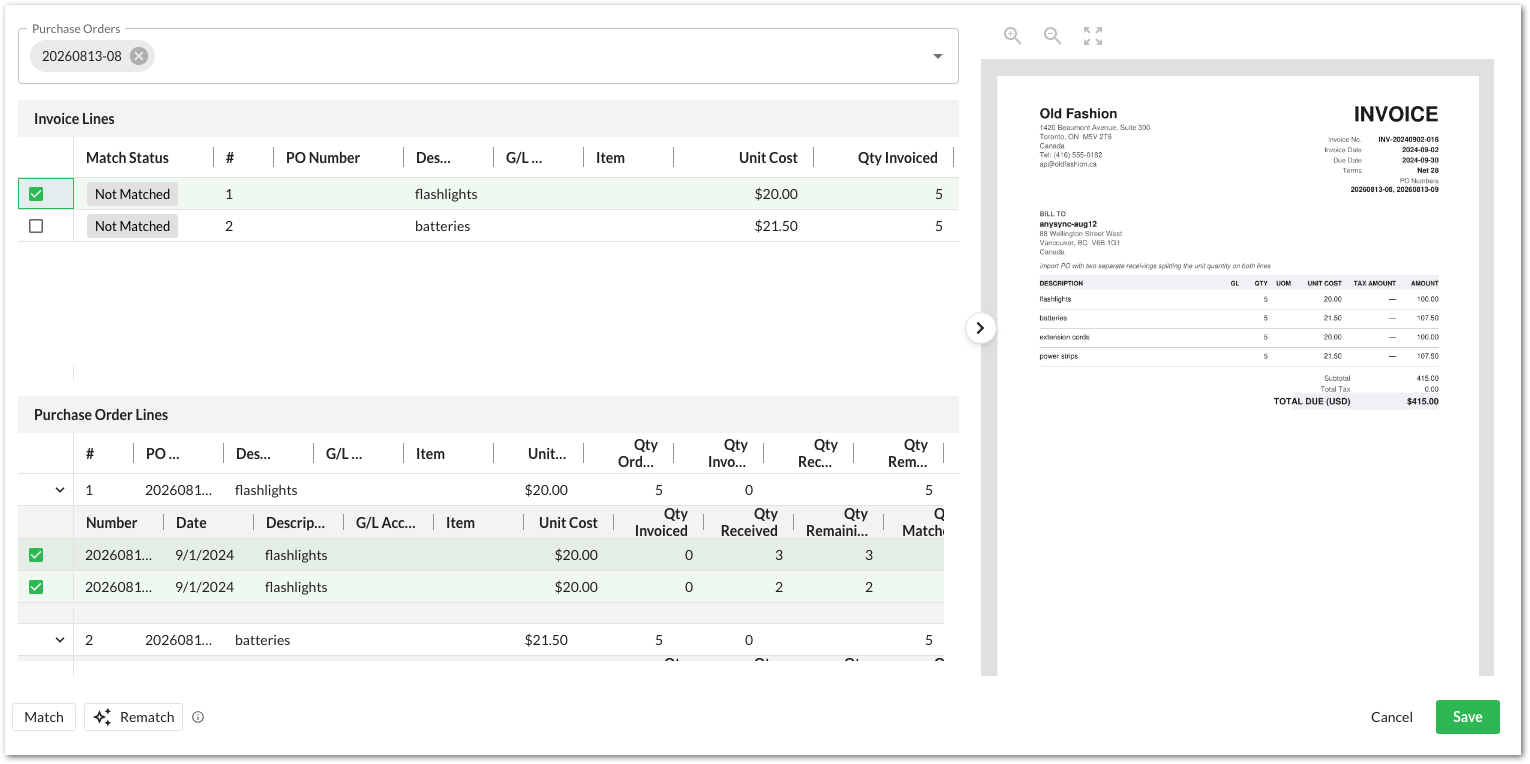
To match an invoice to a purchase order:
- Select Match to PO.
- In the matching modal, select an invoice line.
- Select the purchase order lines to match to the invoice lines.
Invoice lines can only be matched one at a time. - Click Save.
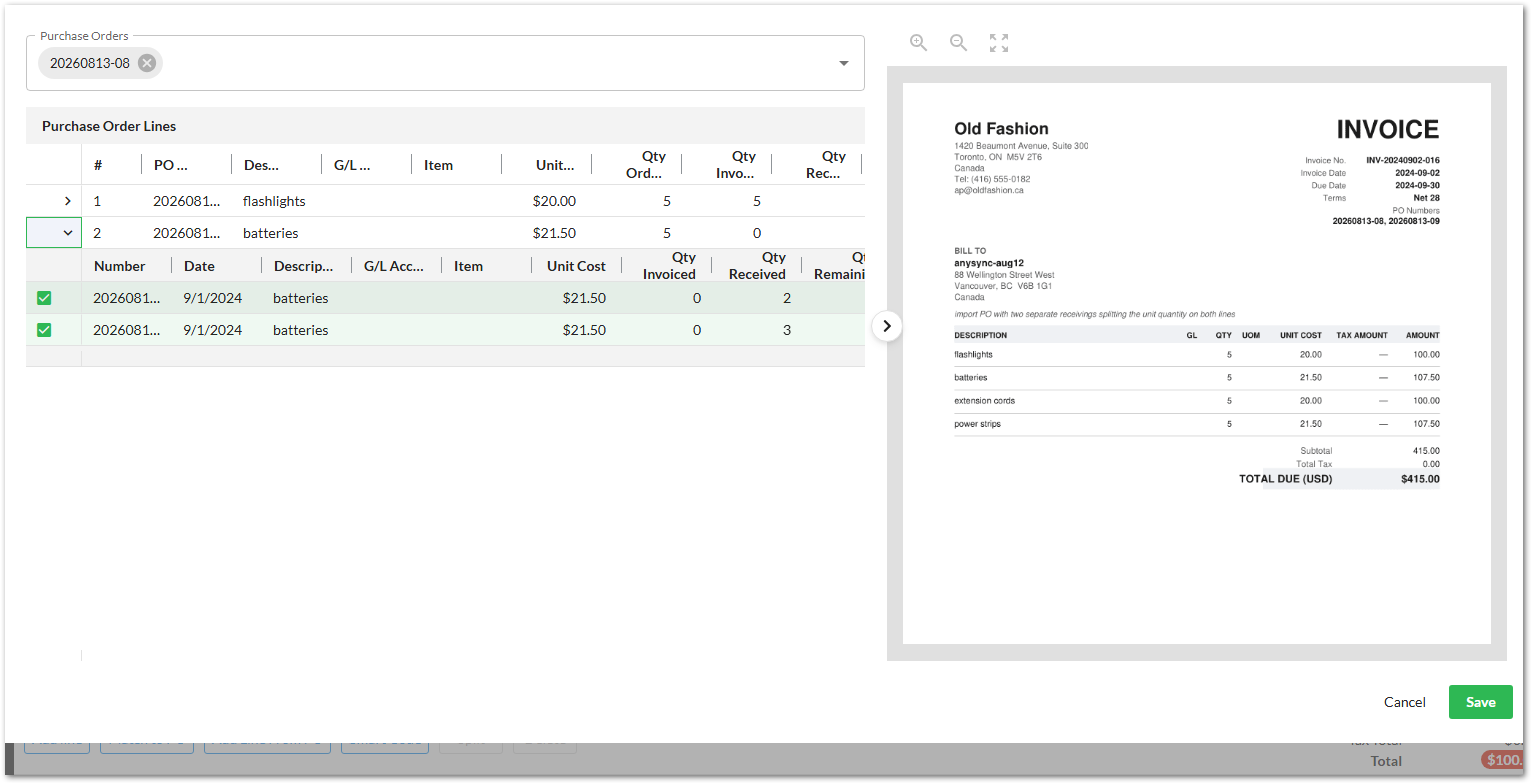
To add purchase order lines to an invoice:
- Select Add Line From PO.
- In the matching modal, select the purchase order lines to add to the invoice.
- Click Save.
Matched Purchase Order Line Statuses
The Status column on invoice lines indicates how the lines are connected to a purchase order. Invoice lines can be in one of the following statuses:
- Matched - The invoice line is matched to purchase order line using the Match to PO option. Lines can be matched manually, or automatically by SmartCapture.
- Not Matched - The invoice line is not matched to a purchase order line.
- Added - The invoice line is added to the invoice using the Add Line From PO option.
Was this article helpful?
That’s Great!
Thank you for your feedback
Sorry! We couldn't be helpful
Thank you for your feedback
Feedback sent
We appreciate your effort and will try to fix the article