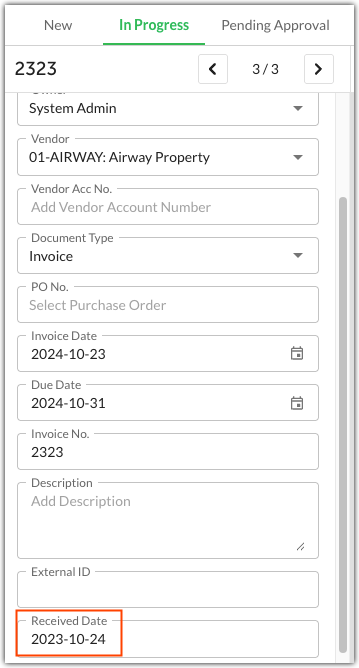
QAP bills for the number of invoices received during a certain timeframe. Whether an invoice is billed during that timeframe is decided by the invoice's Received Date in QAP. The Received Date is coded to an invoice automatically when it first reaches the New tab and can not be edited or removed.
Reconciling Your Billing Total with Quadient AP
Use the Received Date filter in the All tab of the Invoices module to view all invoices that were received during a certain timeframe. 
Note that there may be a slight variance due to timezones or invoices deleted during this timeframe. QAP will not charge for invoices deleted within the billing cycle. For any billing-related queries, please reach out to your Customer Success Manager.
Was this article helpful?
That’s Great!
Thank you for your feedback
Sorry! We couldn't be helpful
Thank you for your feedback
Feedback sent
We appreciate your effort and will try to fix the article