QAP allows you to make multiple partial payments against an invoice. To do this:
- Create a payment.
- Go to the payment details view.
- Click on the Current Payment field and enter the partial payment amount.
- Click Save.
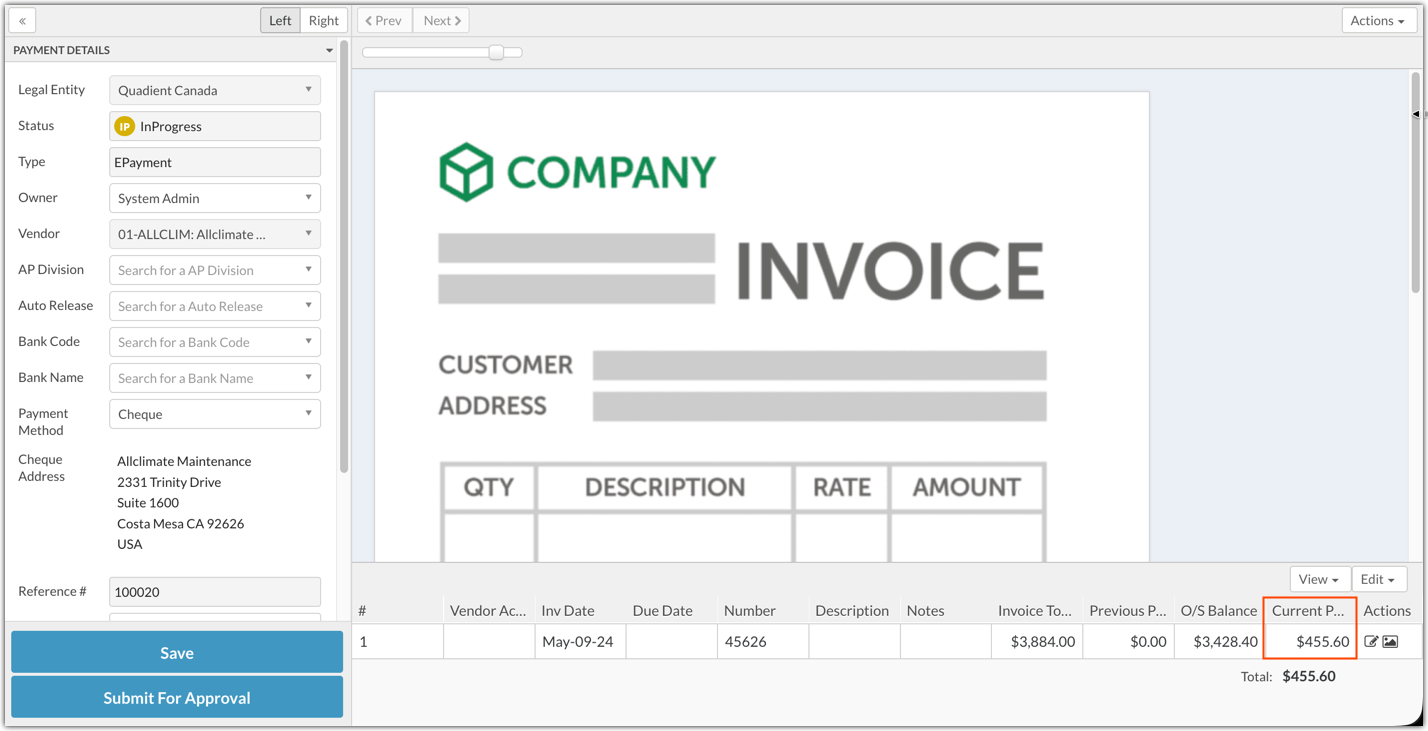
In the Payment Create tab, the invoice will still be visible for the outstanding amount.

Was this article helpful?
That’s Great!
Thank you for your feedback
Sorry! We couldn't be helpful
Thank you for your feedback
Feedback sent
We appreciate your effort and will try to fix the article