Fully coded purchase orders can be submitted for approval in one of two ways:
- Individually
- In batches
Submitting Individual Purchase Orders for Approval
To do this:
- Open the purchase order.
- Click Submit for Approval in the top-right corner.
- In the dialog, click Submit for Approval again to confirm the action.

Submitting Multiple Purchase Orders for Approval
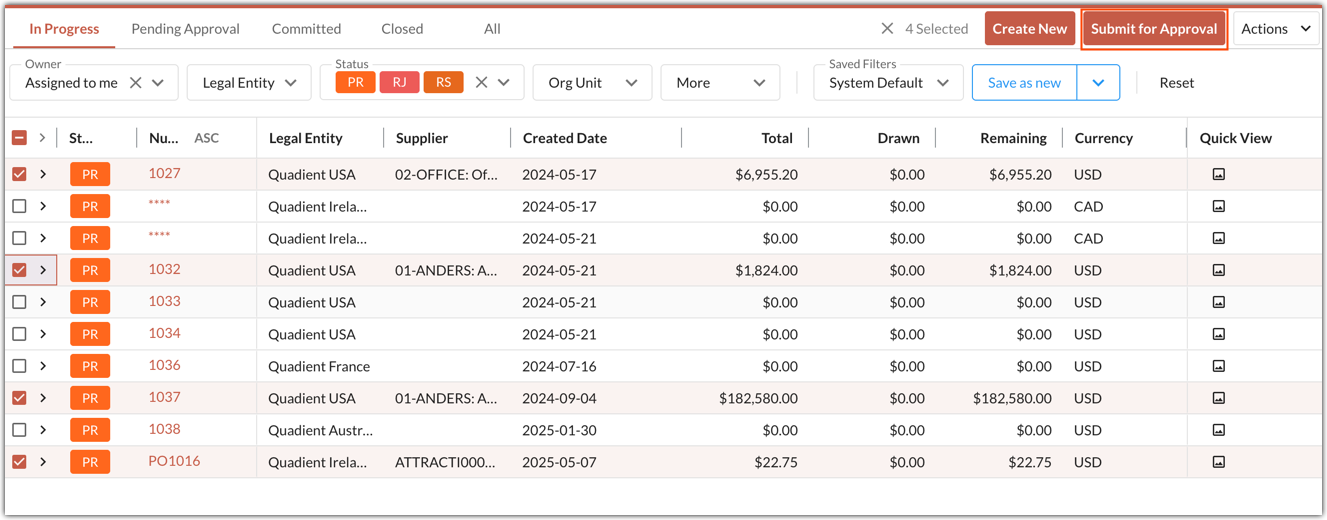
In the tab view, purchase orders can be submitted in batches. To do this:
Select one or more purchase orders.
Click Submit for Approval in the top-right corner.
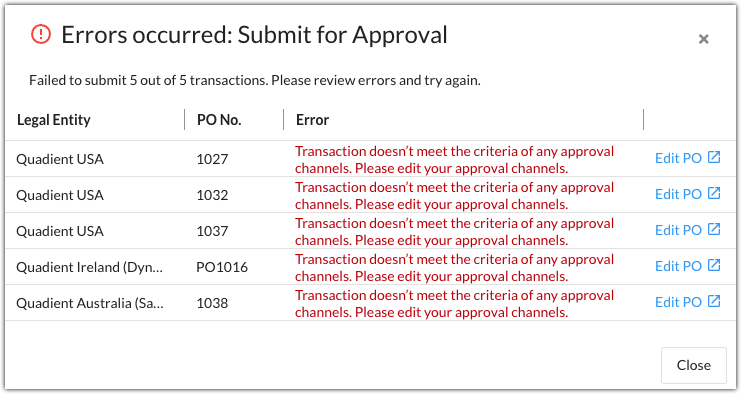
A dialog shows any errors when batch submitting purchase orders for approval. Click Edit PO to open the purchase order and make any necessary changes.
Was this article helpful?
That’s Great!
Thank you for your feedback
Sorry! We couldn't be helpful
Thank you for your feedback
Feedback sent
We appreciate your effort and will try to fix the article