The SAP Business One® and QAP connection can also be managed directly in Quadient Hub. Both Quadient Hub and QAP include integration settings, so you can configure the connection from either application. For more details and a full description of all sync options, see the Quadient Hub Administration Guide.
Customers not using Quadient Hub will not be able to integrate with SAP Business One®.
SAP Business One® connects to QAP through an API connection used by Quadient Hub. SAP Business One® must be version 10.0 or later to connect to QAP.To connect the two systems:
Go to Settings | ERP Management
Select the legal entity from the Legal Entity list.
Select SAP Business One® from ERP Properties.
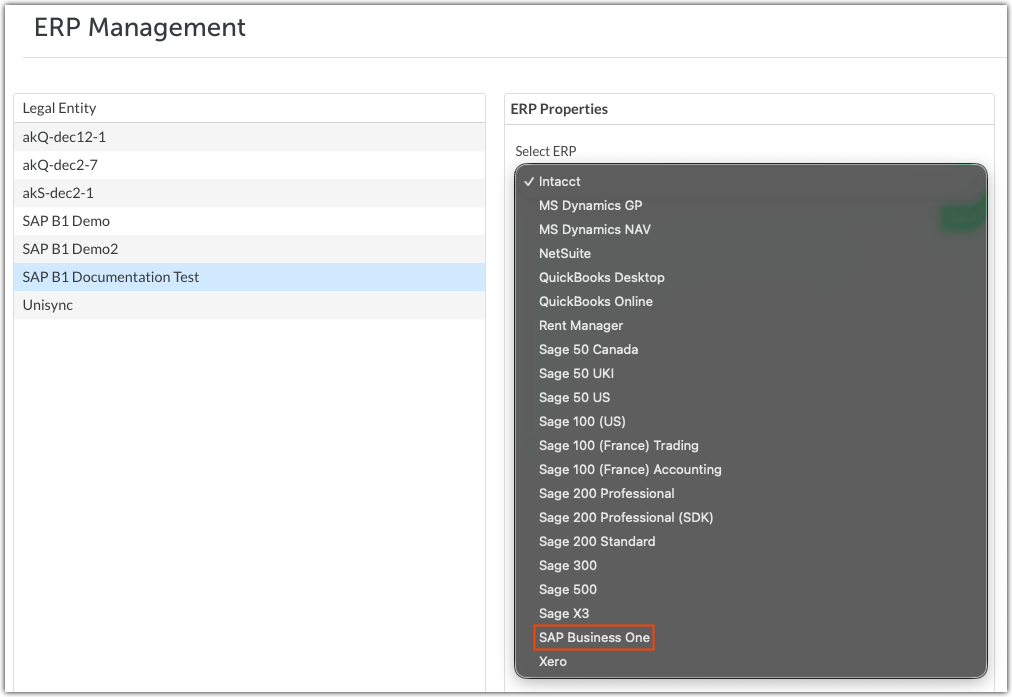
Click Save.
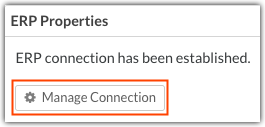
- Click Manage Connection to open the Manage Connection: SAP Business One dialog.
In Manage Connection: SAP Business One, enter the required information to connect QAP and SAP Business One:
- Server URL - Service Layer endpoint URL.
- Company Database Name - Company database for the selected QAP legal entity.
- Username / Password - Username and password of the SAP Business One® user or domain user with API access rights.
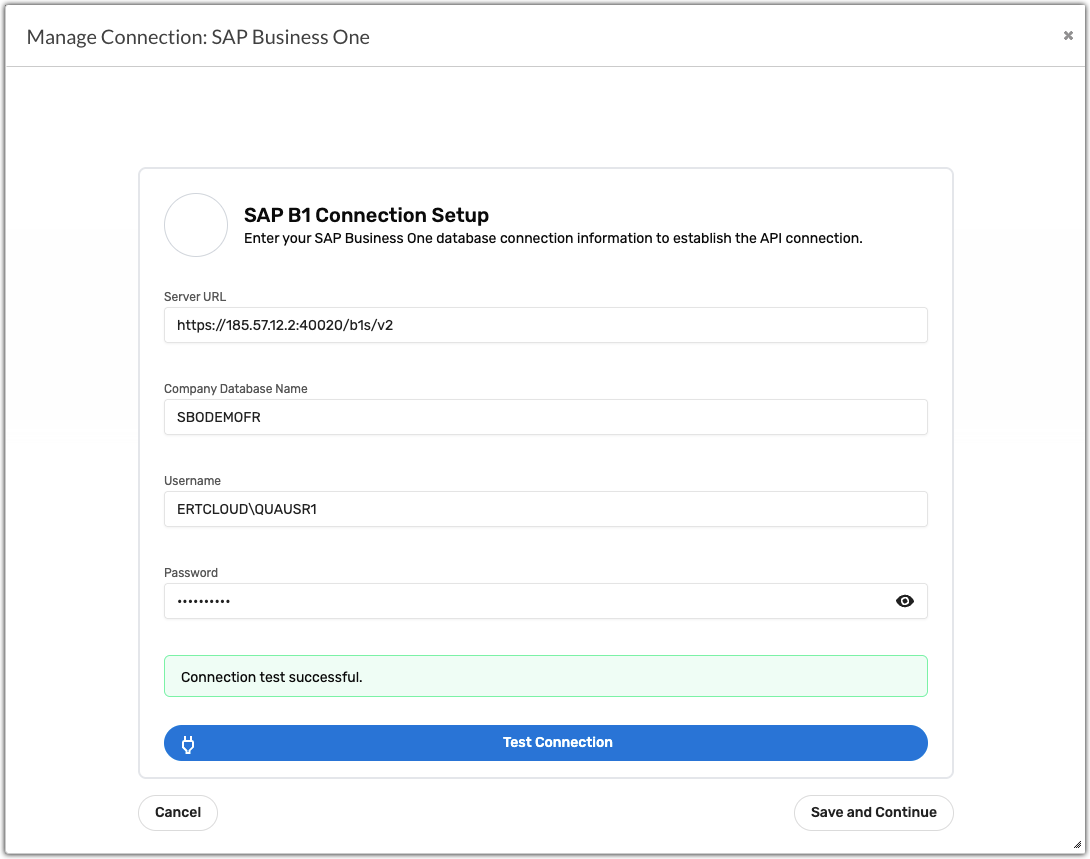
Click Test Connection to check for any connection issues, then click Save and Continue to connect SAP Business One and QAP.
Syncing SAP Business One® with QAP
Once SAP Business One® and Beanworks are connected, click Manage Connection to open the Connection Details dialog.
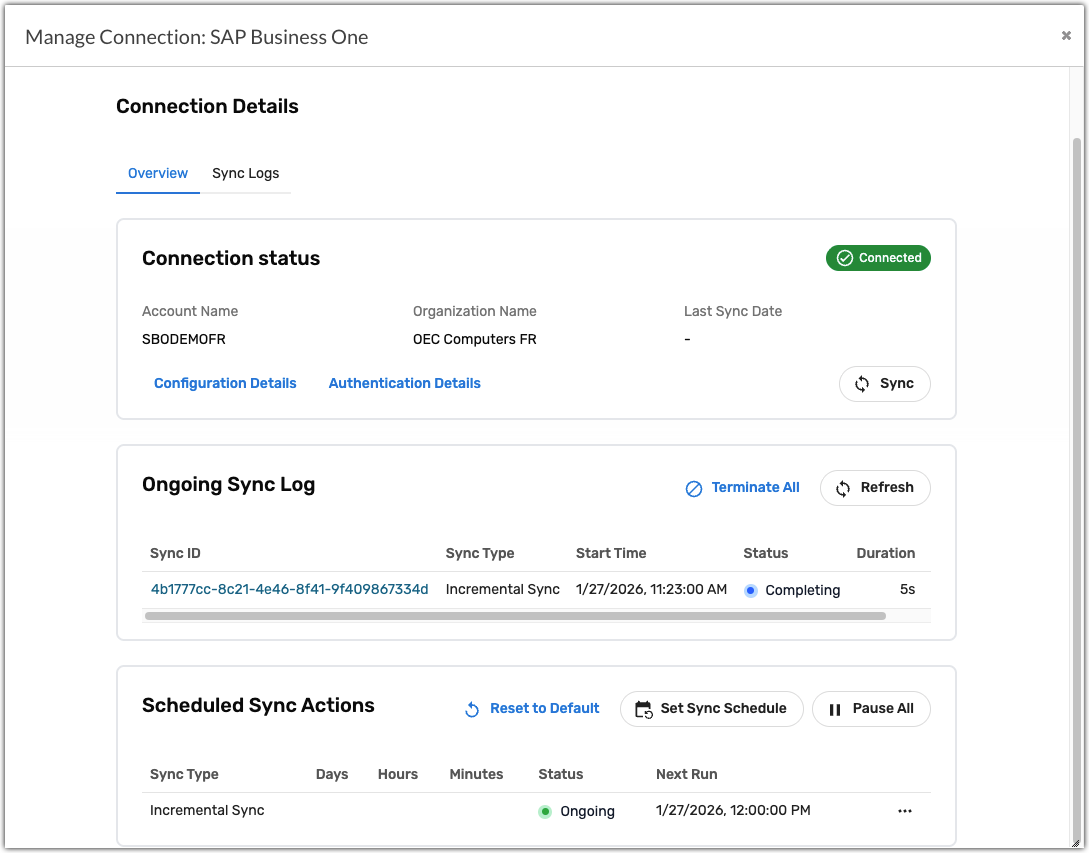
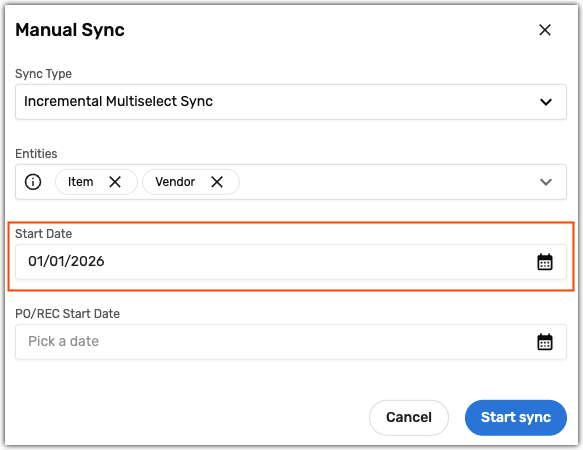
Click Sync to open the Manual Sync dialog. Select from one of the following sync types and click Start sync:
- Initial Full Sync - Syncs all lists, list items, and purchase order/receivings data. Run this sync when you first connect the two systems. Set the PO/REC Start Date to the creation date of your oldest purchase order to ensure all purchase order and receivings data is imported.
- Incremental Sync - Syncs all data for one or more lists.
- Incremental Multiselect Sync - Syncs all data for one or more lists that have been updated since the Start Date.
For example, this sync will import all Item and Vendor data updated on or after 01/01/2026.
The following lists are imported from SAP Business One®:
Account
Currency
Freight
Item
Payment Term
Tax Code
Unit Measure
Unit Measurement Group
Vendor
Vendor Payment
Was this article helpful?
That’s Great!
Thank you for your feedback
Sorry! We couldn't be helpful
Thank you for your feedback
Feedback sent
We appreciate your effort and will try to fix the article