Note: E-invoicing is only available for customers in France and Belgium. Marking Self-Billed e-invoices as Cashed is only a requirement for French customers.
E-invoices in the Self-Billed module must be manually marked as Cashed when a payment is received. To do this:
- Select a self-billed invoice in Approved, Partially-Approved, or Payment Sent status.
- Click Mark as Cashed.
- In the Mark as Cashed dialog, enter the cashed amount and payment date, and click Confirm.
The self-billed invoice will update to Cashed, and a notification containing the payment details will be sent to the e-invoicing network.
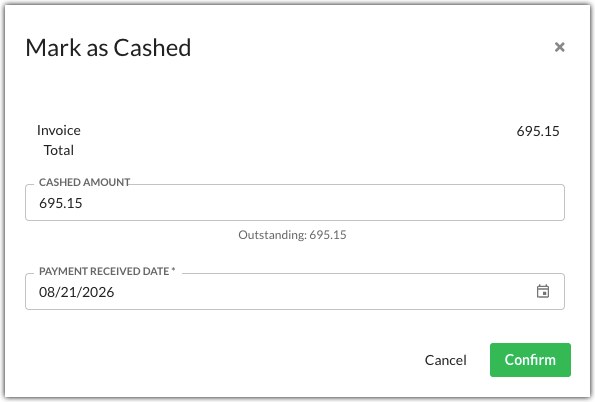
For partially paid self-billed invoices, click Mark as Cashed to view the outstanding balance and any previous payments. For fully paid self-billed invoices, click View Cashed History to view all previous payments.
Was this article helpful?
That’s Great!
Thank you for your feedback
Sorry! We couldn't be helpful
Thank you for your feedback
Feedback sent
We appreciate your effort and will try to fix the article