Note: Vendor settings are transitioning from List Management to Vendors. If you do not have access to the Vendors tab yet, you can access all vendor-related settings in List Management.
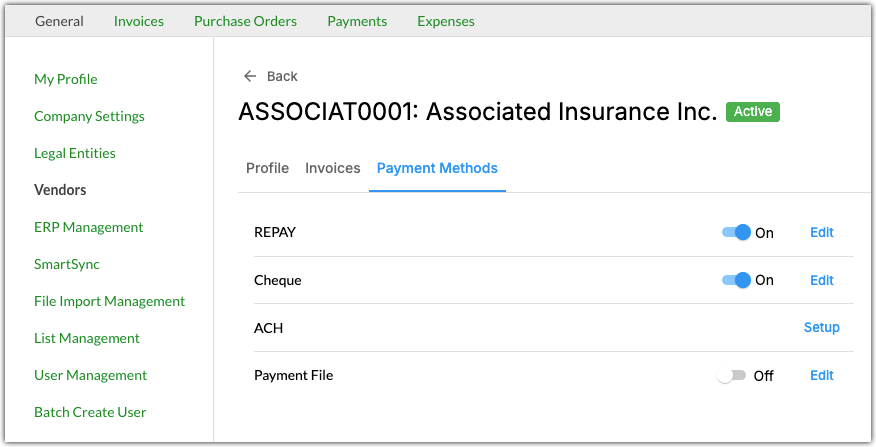
Here you can configure the following options for vendor payments:
- Enable or disable payment methods.
- Edit remittance emails.
Enabling or Disabling Payment Methods
Vendors are typically enabled for a payment method automatically. In certain cases, you might need to enable or disable a vendor's payment method manually. Toggle a payment method on or off to enable or disable it.
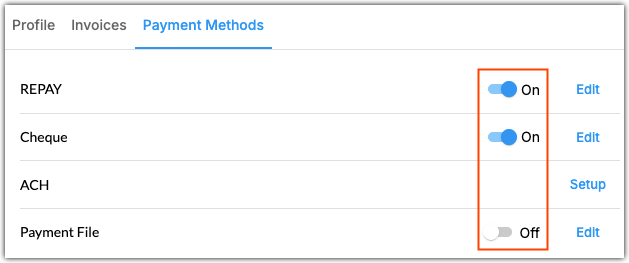
Payment methods cannot be disabled while the vendor has any payments in the following statuses:
- In Progress
Rejected
Reset
Pending Approval
Approved
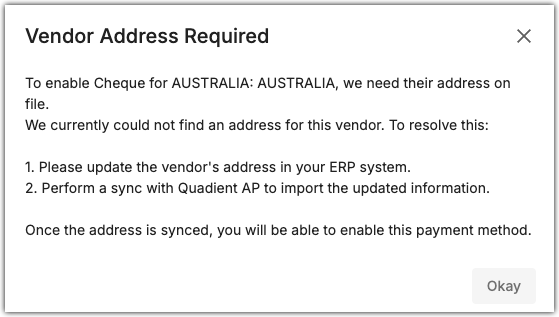
If a vendor does not have a full address, you will be unable to enable a payment method for them. Attempting to enable a payment method for them will prompt the following error message:
Editing Remittance Emails
Remittance emails are used to send payment remittance information to vendors. Select a payment method and click Edit to configure the vendor's remittance email.
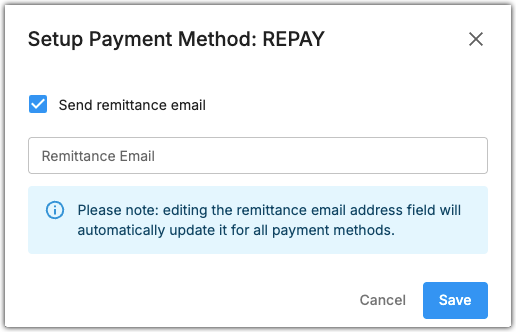
Vendors can only have one remittance email in QAP. Updating the remittance email for one payment method will update it for all other payment methods enabled for that vendor.
Was this article helpful?
That’s Great!
Thank you for your feedback
Sorry! We couldn't be helpful
Thank you for your feedback
Feedback sent
We appreciate your effort and will try to fix the article